
Florida Blue Reporting Framework
Tools: Adobe XD, Illustrator, Miro
Role: Lead Visual UI Designer , UX Designer
Responsibilities: Design System, Visual & Interaction Design, Usability testing, Prototyping
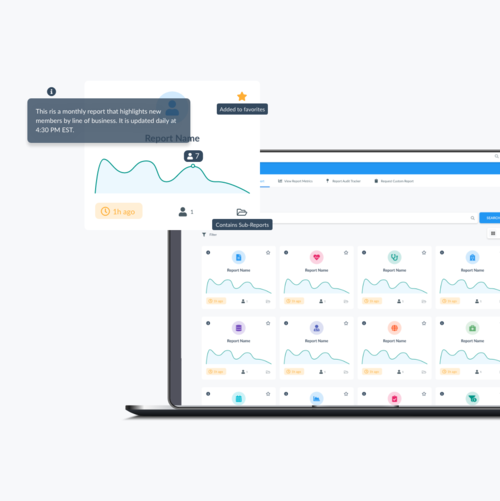
Prototype
The Enterprise Reporting Framework is an internal tool and suite of applications to help employees create, track, and request custom reports based on daily, weekly, and monthly data.
Below is a video prototype that was used for stakeholder alignment.
How might we design an application that allows employees to find, access, and request custom reports and company metrics quickly and efficiently?
Goal:
Redesign the reporting application and create a way to manage, and resolve requests for custom reporting so business owners can do their jobs more efficiently and quickly.
Efficient Navigation
How can users navigate to existing reports quickly ?

Consistent Process for Custom Reports
How can users request and access custom reports efficiently?


Enhance Discoverability of Report Details
How can users easily find specific report details?
Initial Tile Design
Initially, we decided to create 2 tile types based on whether a user was searching (and needed more information) or whether the tile was already added to a person’s favorites.
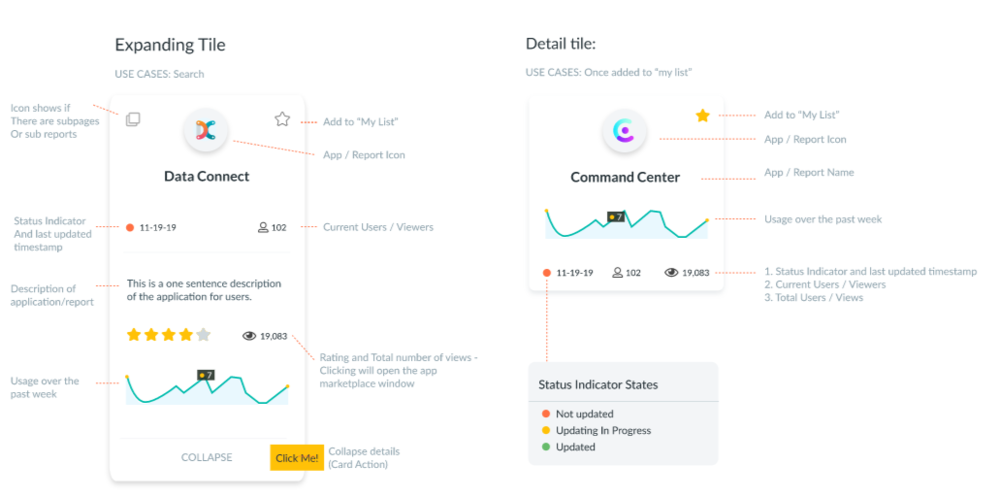
Design Revision
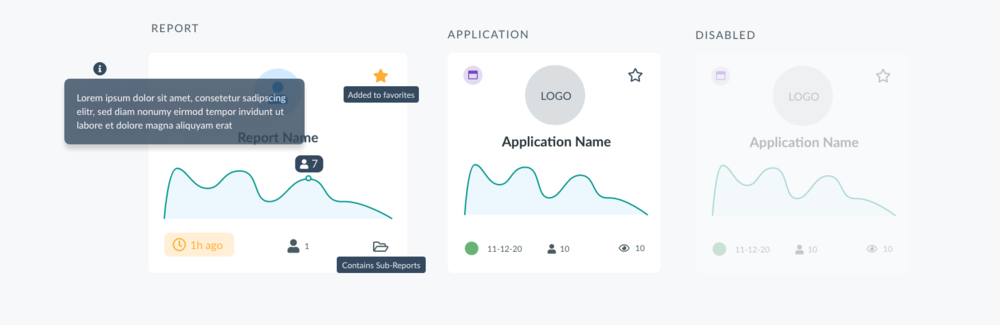
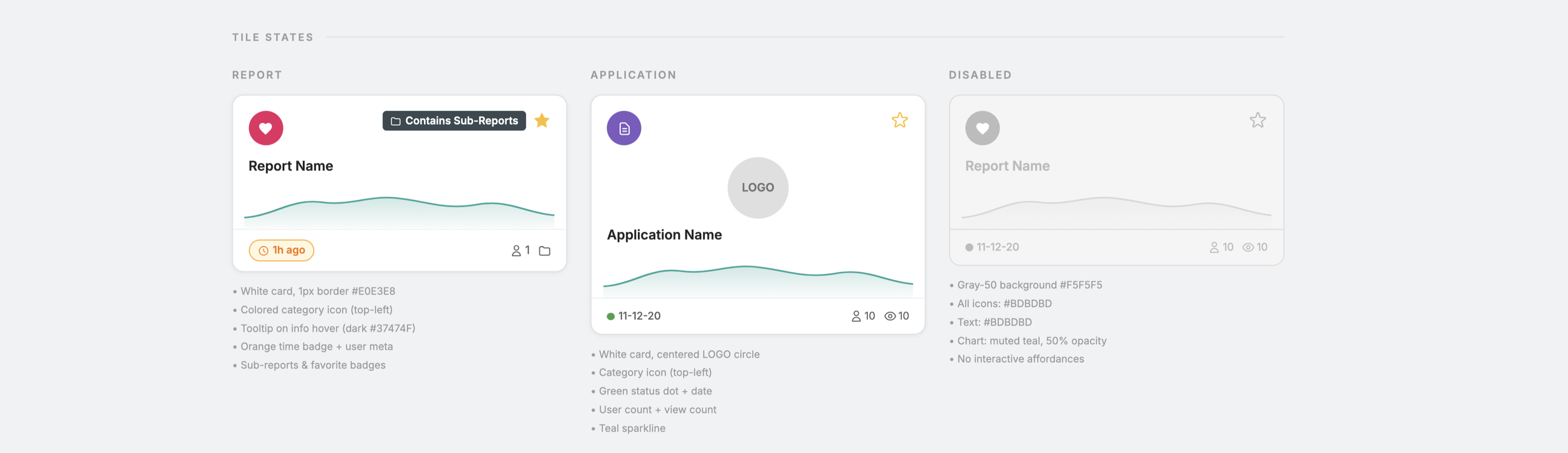
Defining Tile States
Most users didn’t engage with the expanding tile or find the additional information useful, so the final design focused on report vs. application tiles.
There might be instances where a user didn’t have access to a report, or a developer disabled it in order to troubleshoot.
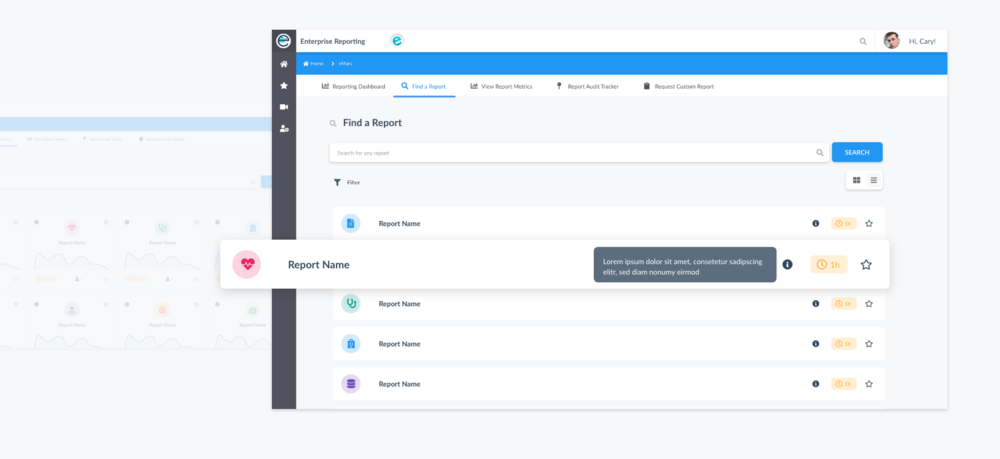
Scannable List View
I also added a toggle that shows an alternate view of the reports in a list to allow easy scanning. This will be especially useful when a user is browsing more 10+ reports. Listing the tiles allows users to maintain vertical flow.
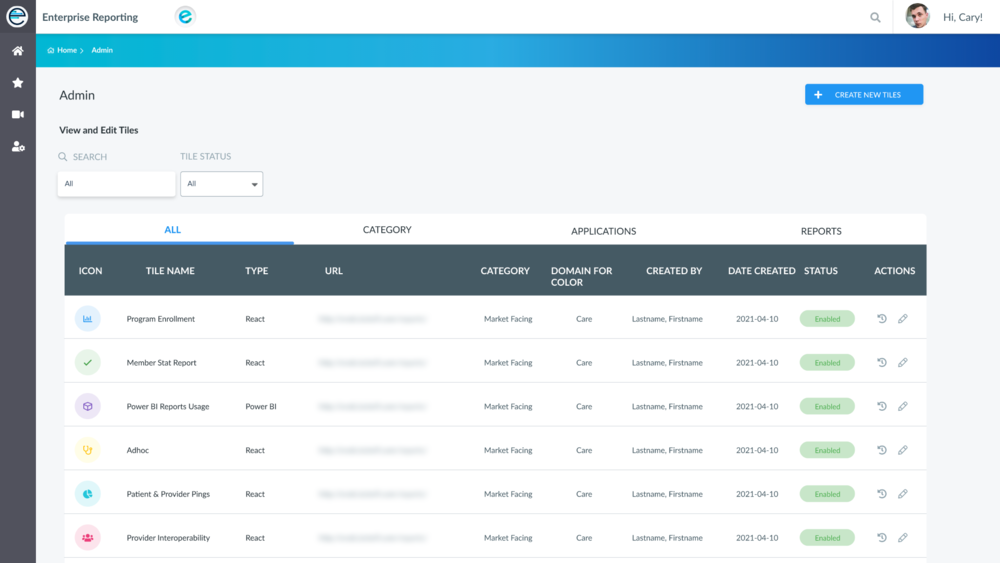
Supporting Report tile creation from the front end
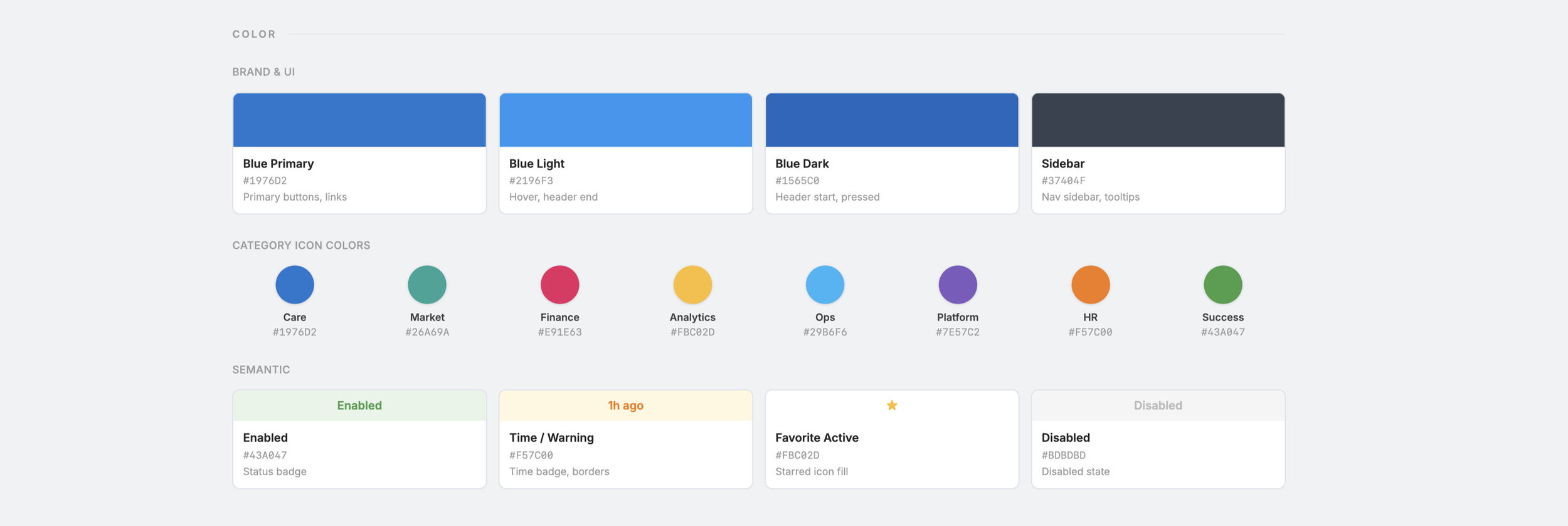
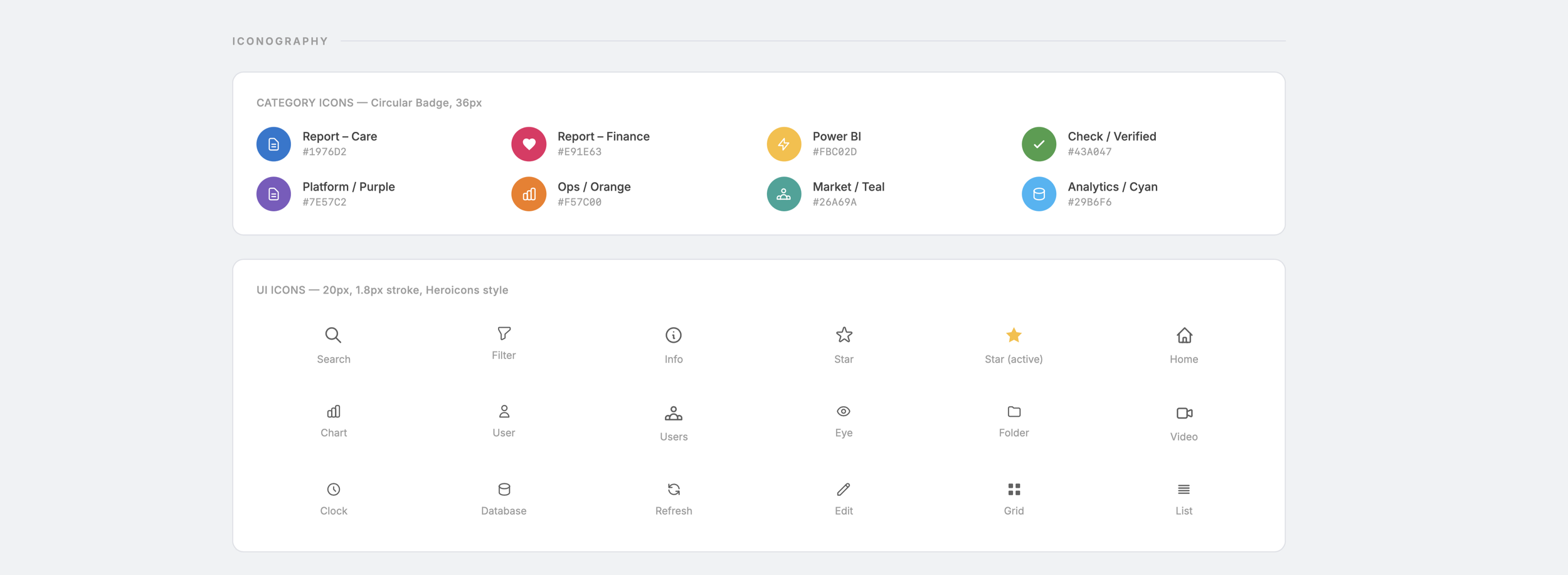
Applying color meaningfully — I also created a color system that would allow developers to create tiles that used color in a meaningful and consistent way.
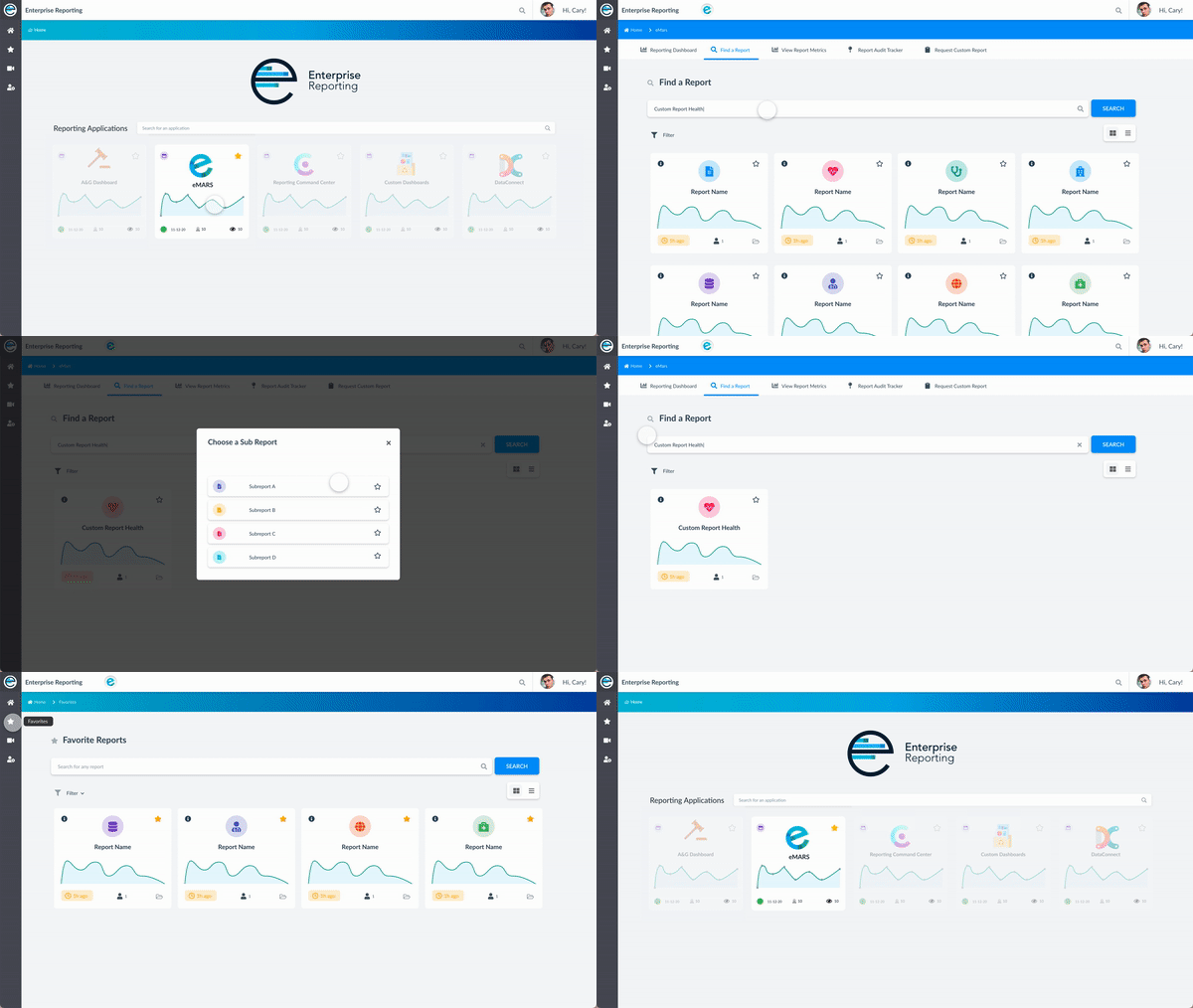
Flexible Searching, filtering, and browsing
Users are able to search all reports, and navigate to nested reports when applicable. For easy scanning, a toggle switch is available that changes the view from a grid to a list.
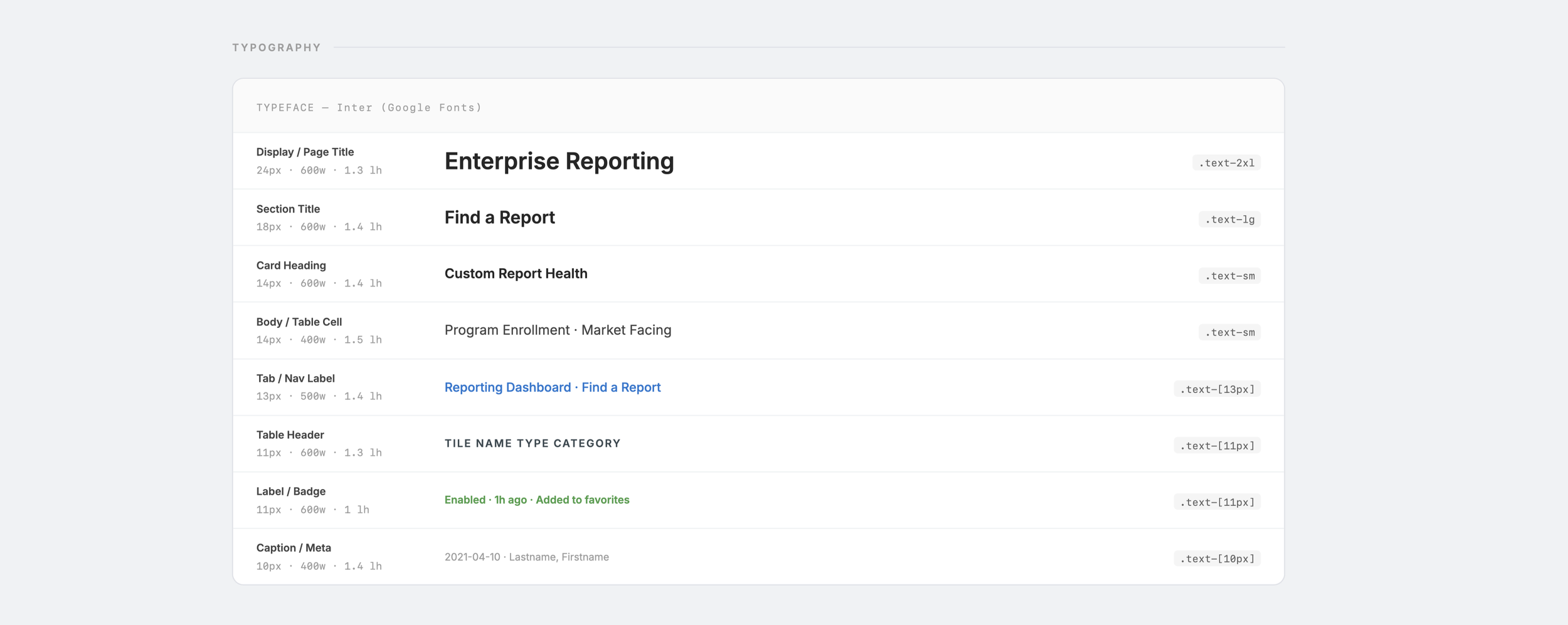
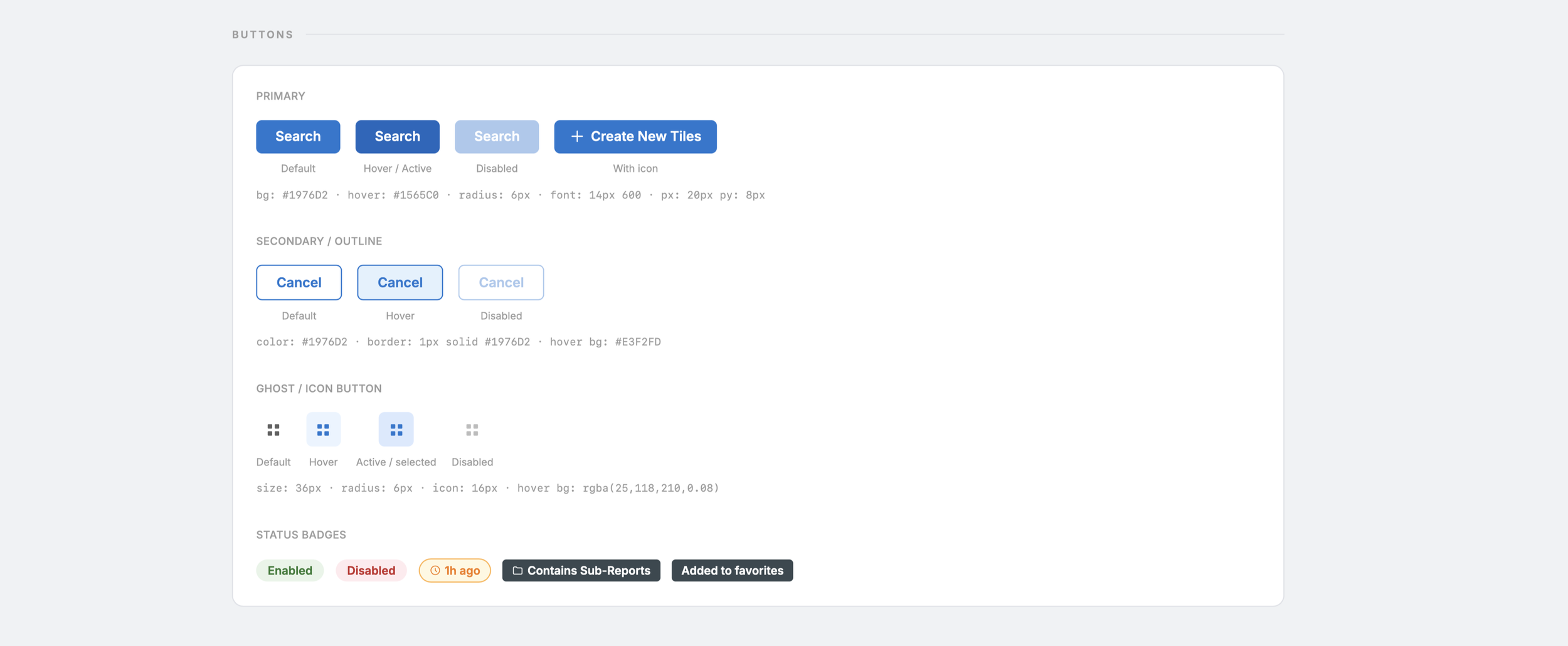
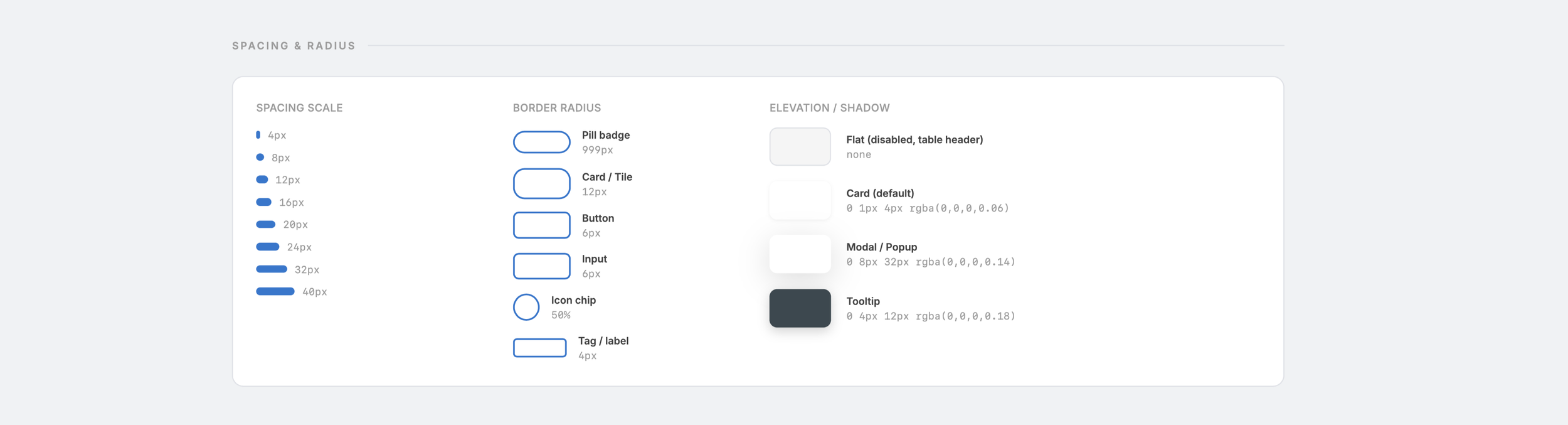
🎨 Style Guide / Design system
I was the lead visual designer for this project. My primary objectives were:
Coming up with ways to meaningfully apply color
Allow users to navigate dense data without it feeling overwhelming
Align with Guidewell OS standards
Use typography and color to create visual hierarchy
Provide a modern look and feel to the outdated styling (including updating CSS style sheets)
Outcome
After tracking the usage of the application after one month, the redesign had the following impact:
Increased report usage by 114% (with an average of 60 weekly views per report)
Reduced emails to the team by 92% (from 63 a month to 5 per month)
Team Handled 74 tickets (with 69 resolved successfully within SLA)
Take Aways
This was the first project that I got to take the design lead on and I learned so much working on an internal product that hundreds of users across the business. Along the way I learned a few valuable lessons:
An Ideal UX Process
Working with developers in the ideation phase proved to be invaluable. They were able to quickly offer insight and recommendations. It also allowed us to build a level of trust and open communication which helped when translating the specs into code.
Stakeholders have different goals than the user
There were a few times where the stakeholder wanted to add features and elements that weren’t aligned with the user goals. In this case it was my responsibility as a designer to make sure their needs were heard, and to also advocate for the user by looping back to our initial goals established.