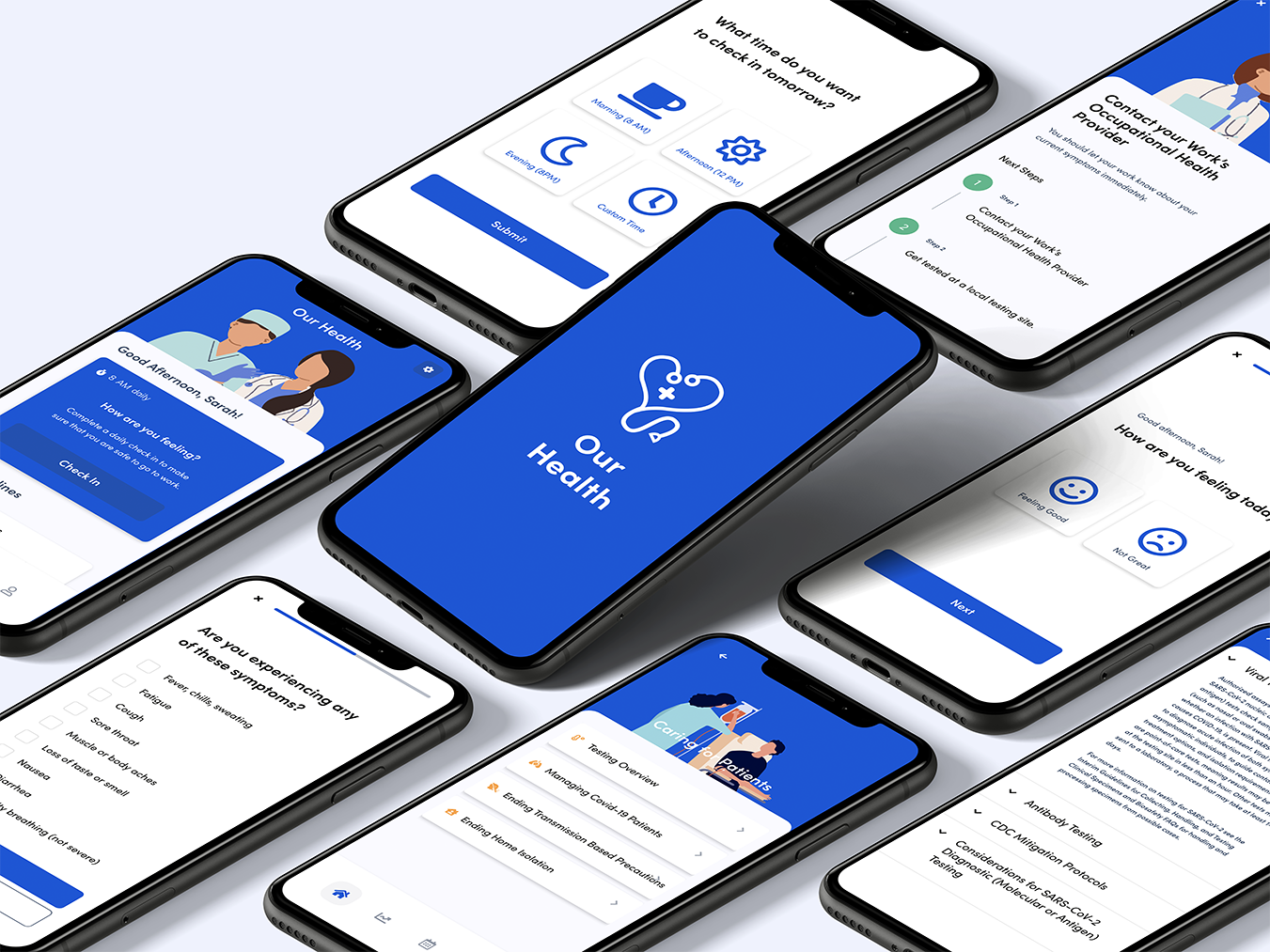
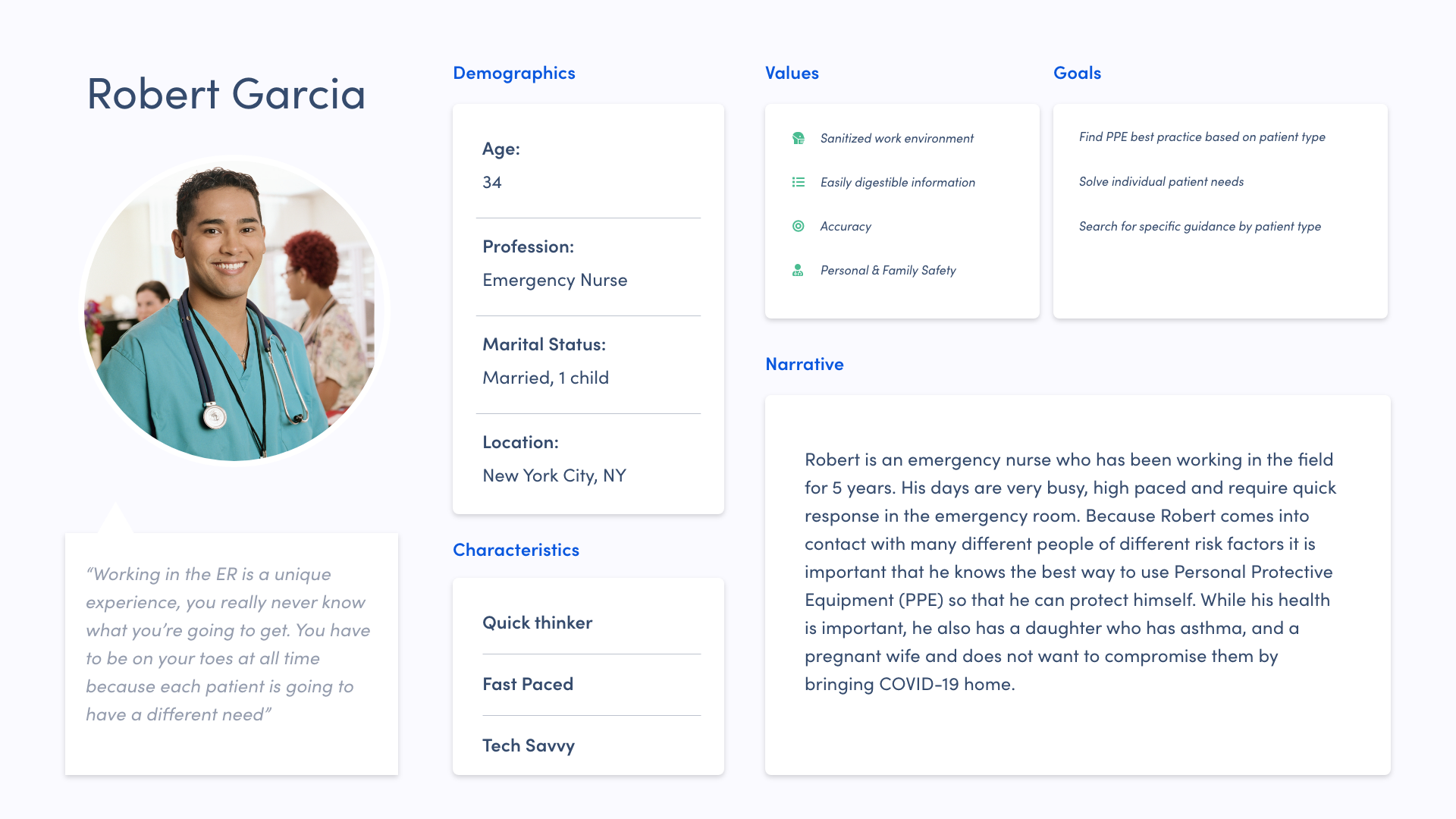
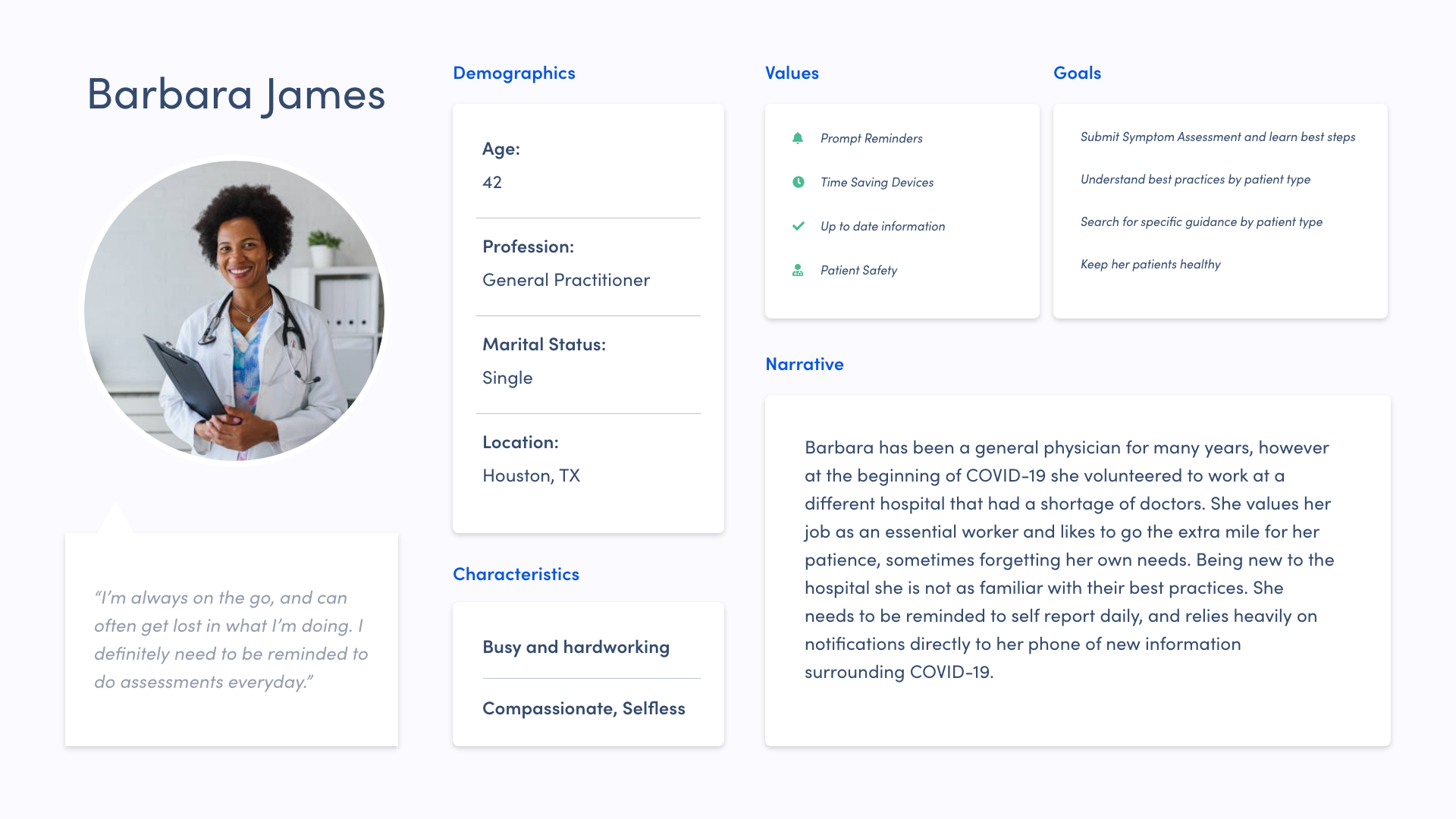
Our health is a mobile application that allows essential healthcare workers to self report and learn more about symptoms and CDC recommended workplace practices.
Role: UX Design, Visual Design, Prototyping & Wireframing
Tools: Adobe XD, Figma, Illustrator, Whiteboard, Miro
This was a self initiated project focused on creating a concept for a urgent health care challenge. It was a two week sprint that I took from concept, to tested prototype.

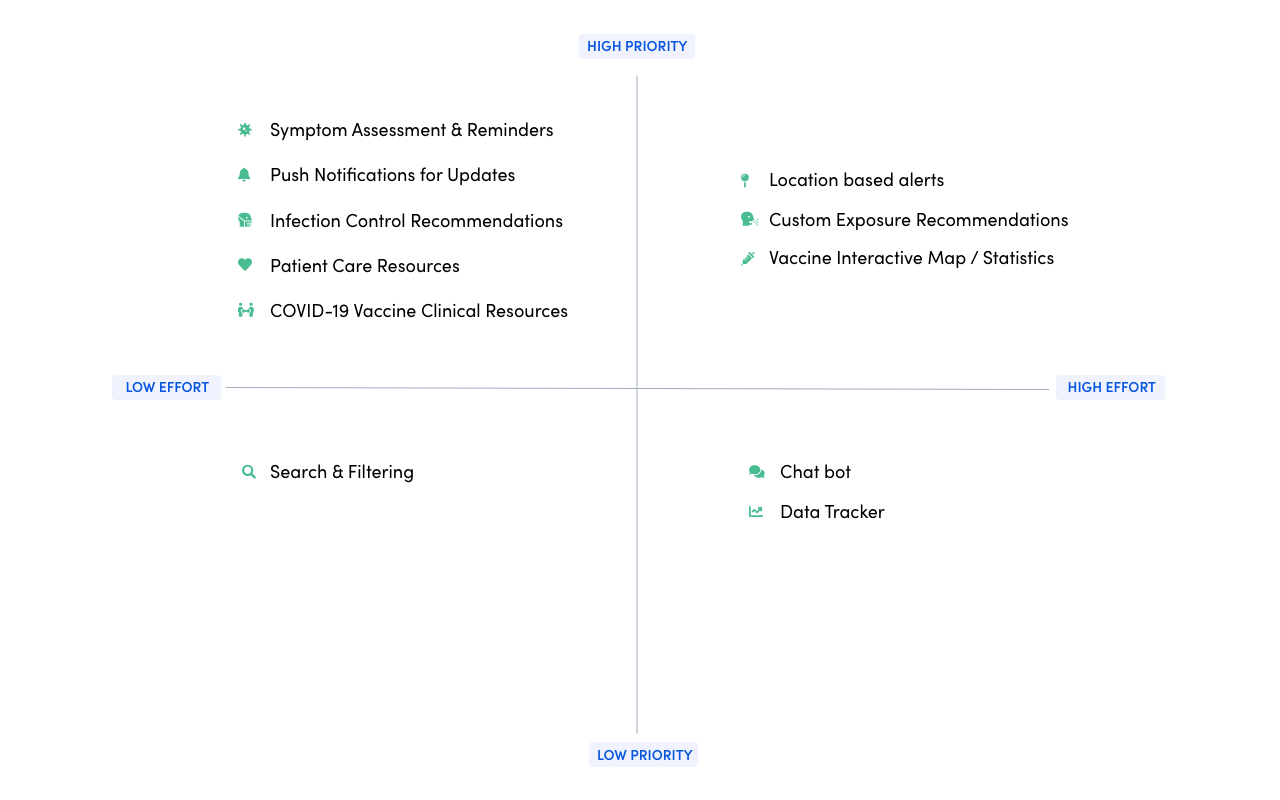
Feature Prioritization
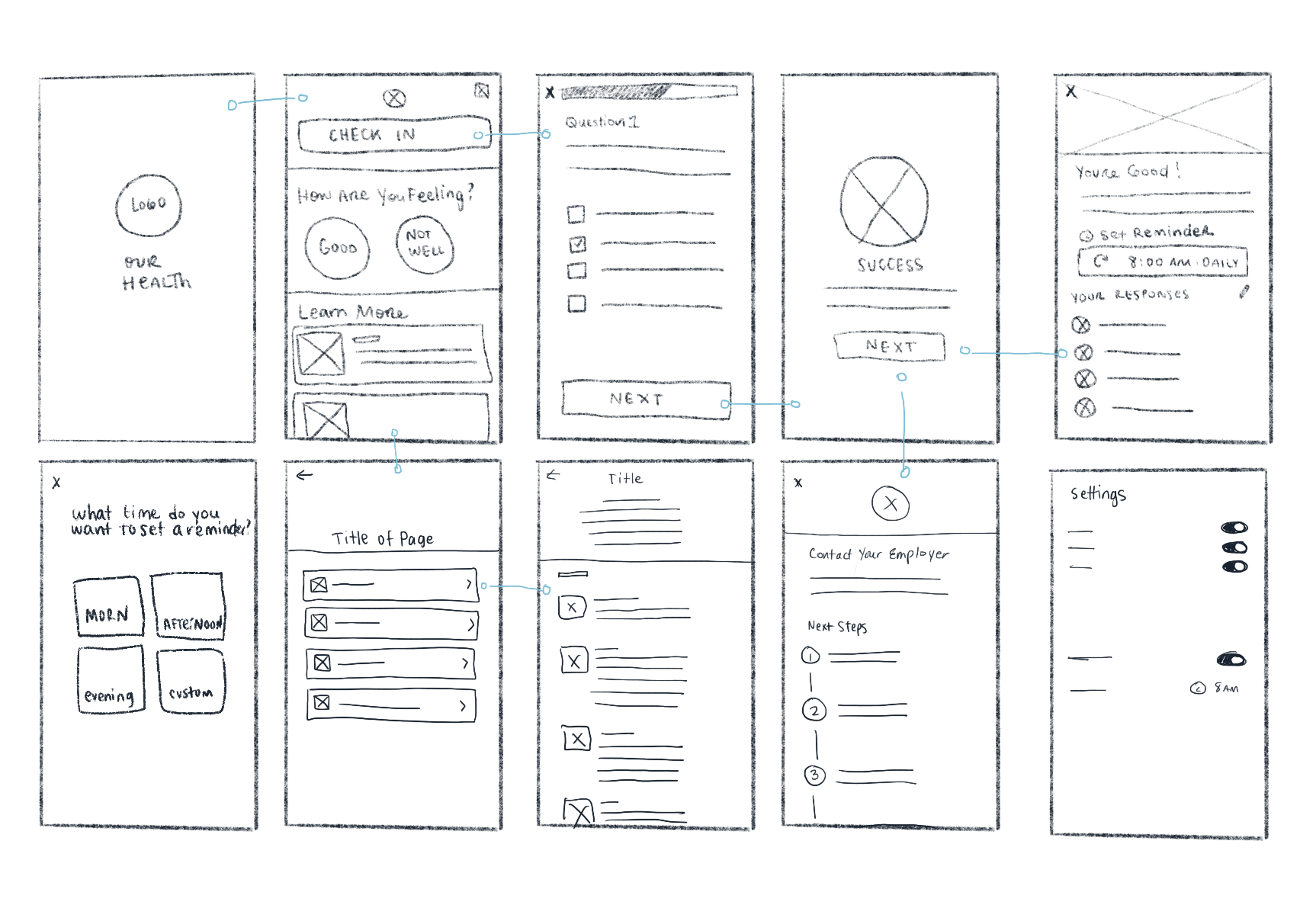
Sketches
After completing the architecture of the application, I sketched my initial thoughts of the mobile interface. This allowed me to visualize the architecture and begin thinking about interactions and experience.
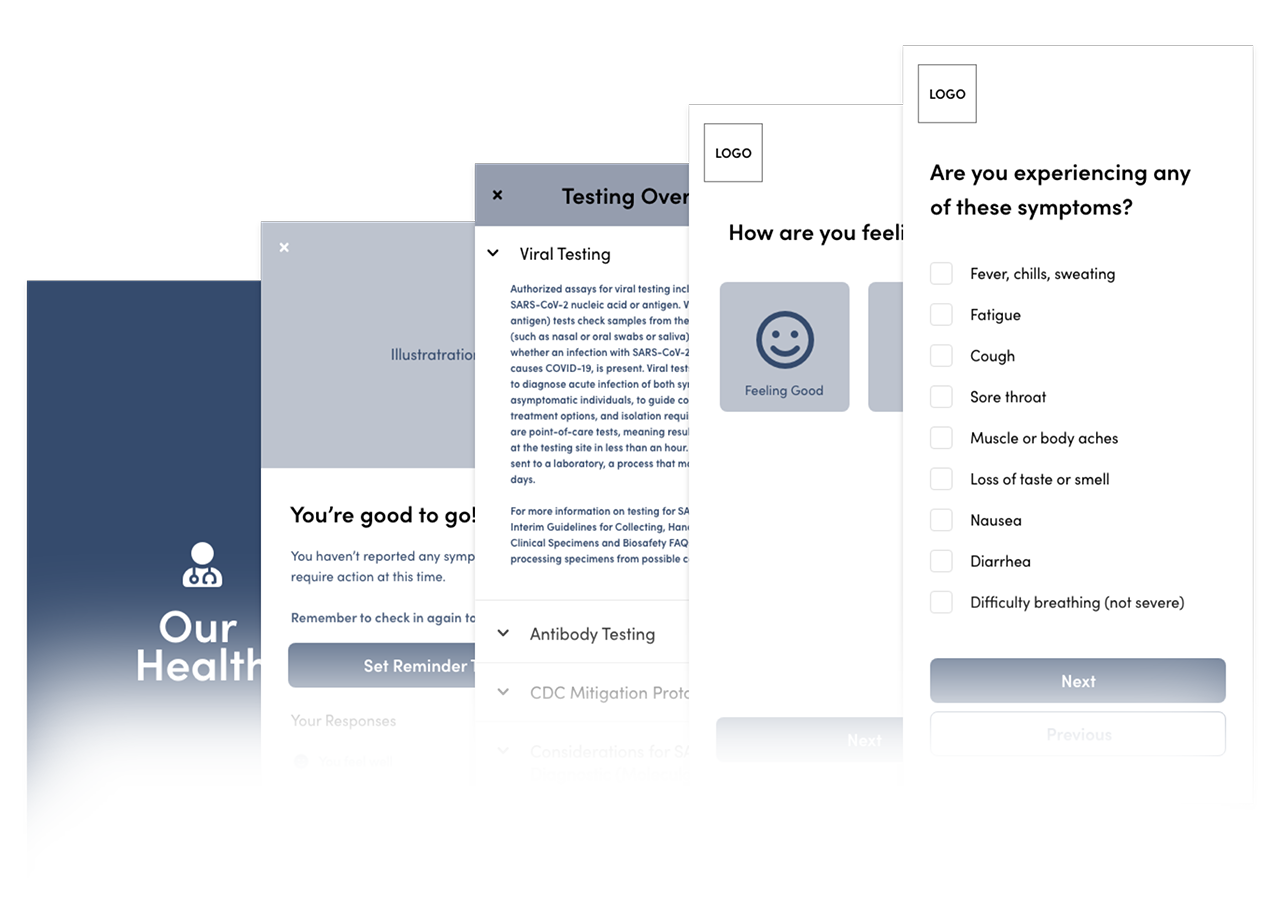
Initial Wireframe
Once sketches and overall architecture were established, I began drafting the skeleton of OurHealth. Drafting out the key interactions and testing them with real users enabled me to quickly fix small issues such as touch target size, key line alignments and formatting.
Visual Design Enhancements
I tested the application in a moderated usability session with 3 HCP's and one additional person with no health care background.
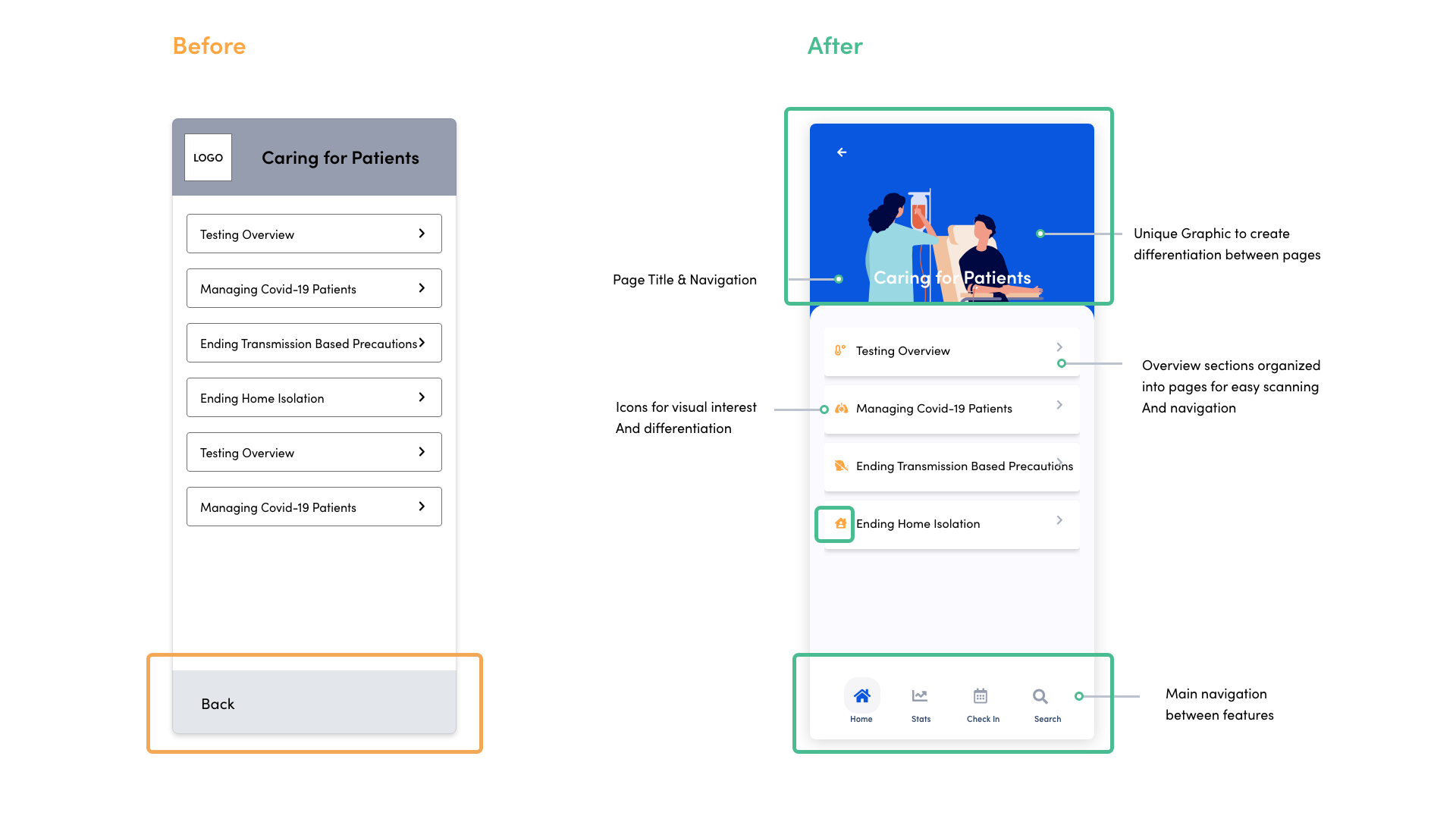
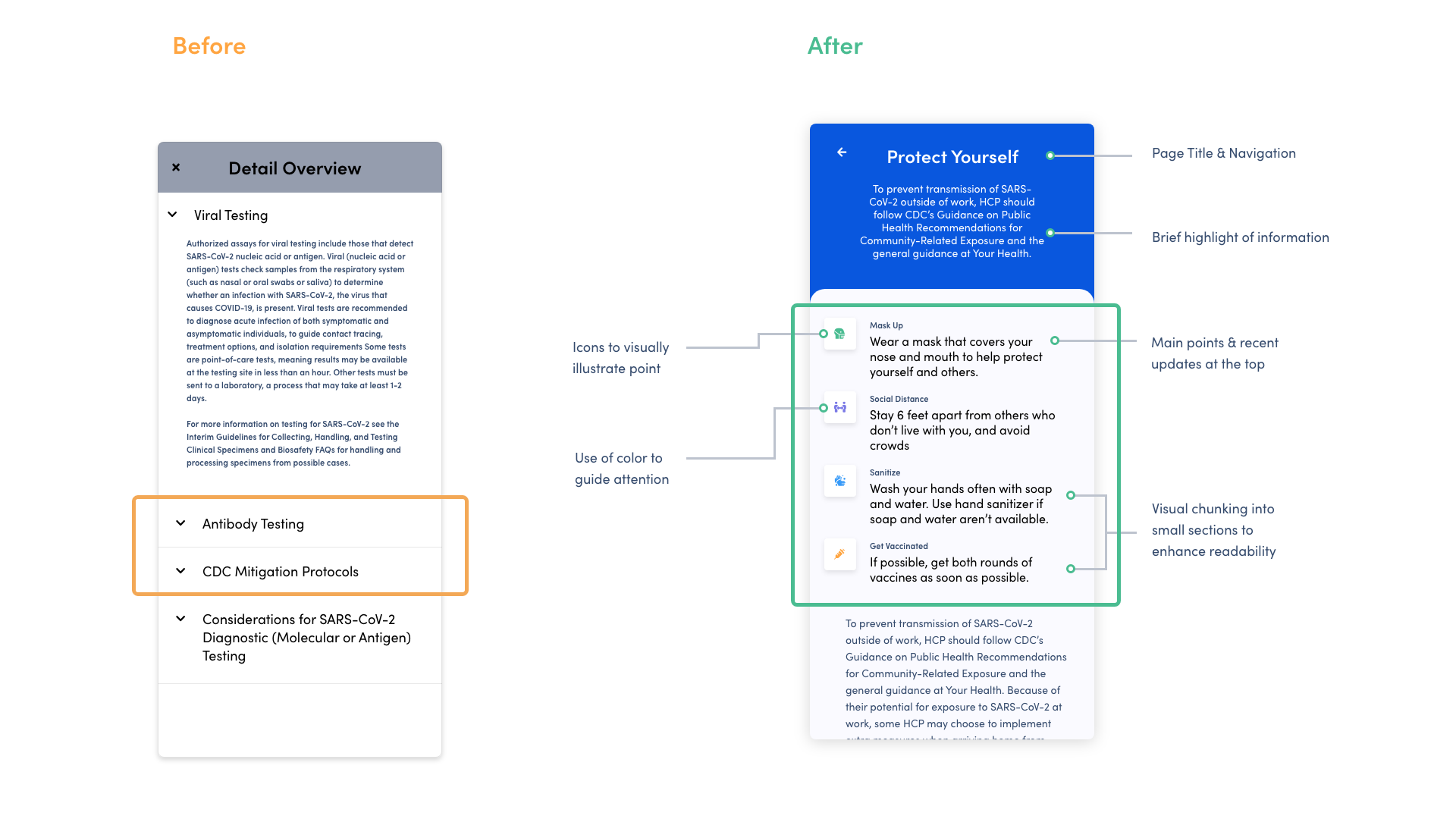
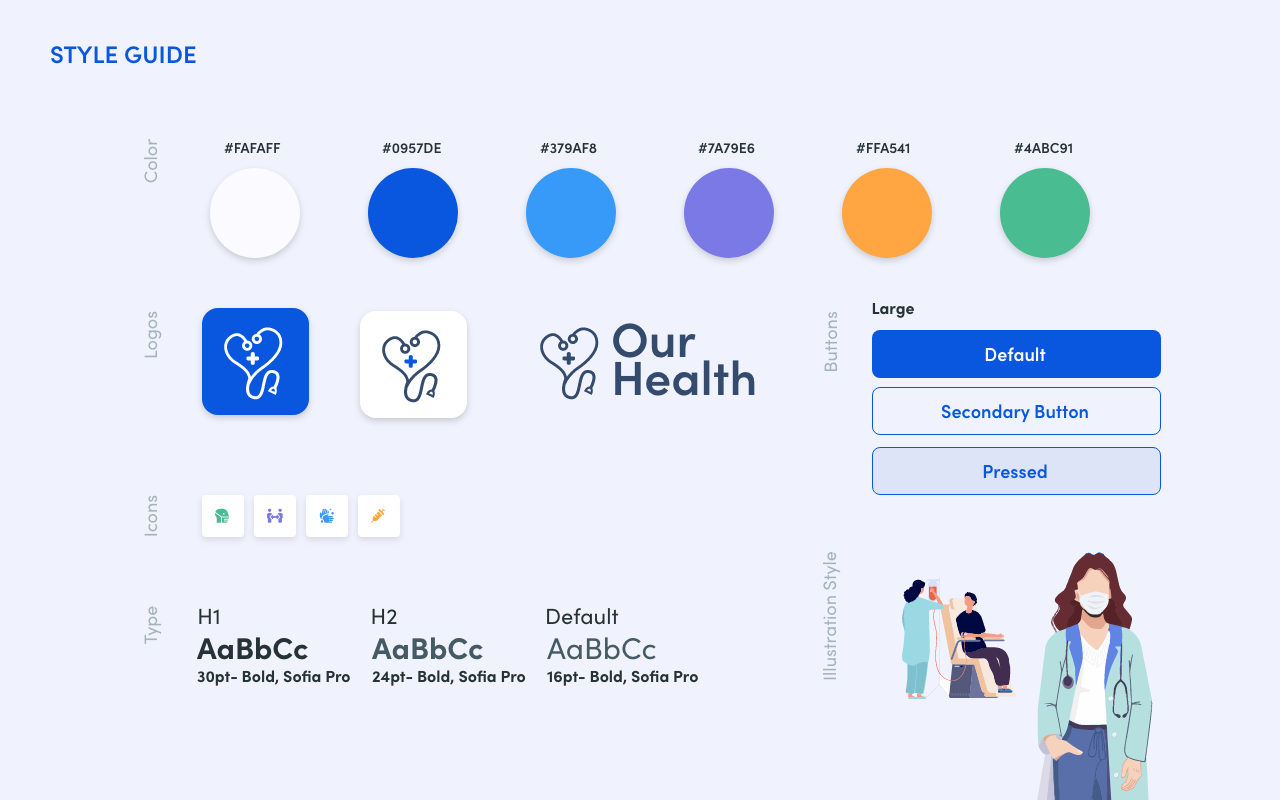
Incorporating color and iconography
User feedback: “I would find it annoying to keep having to click into each section to view more information. “
On the detail page, 50% of users had difficulties finding information because it was hidden behind an accordion view.
Removed accordion view to make scanning easier.
Added a summary (TLDR) section at the top of the page including icons to visually illustrate each bullet.
Each icon is a different color to guide attention.
I also implemented white space to enhance readability, and included a brief summary of each article.
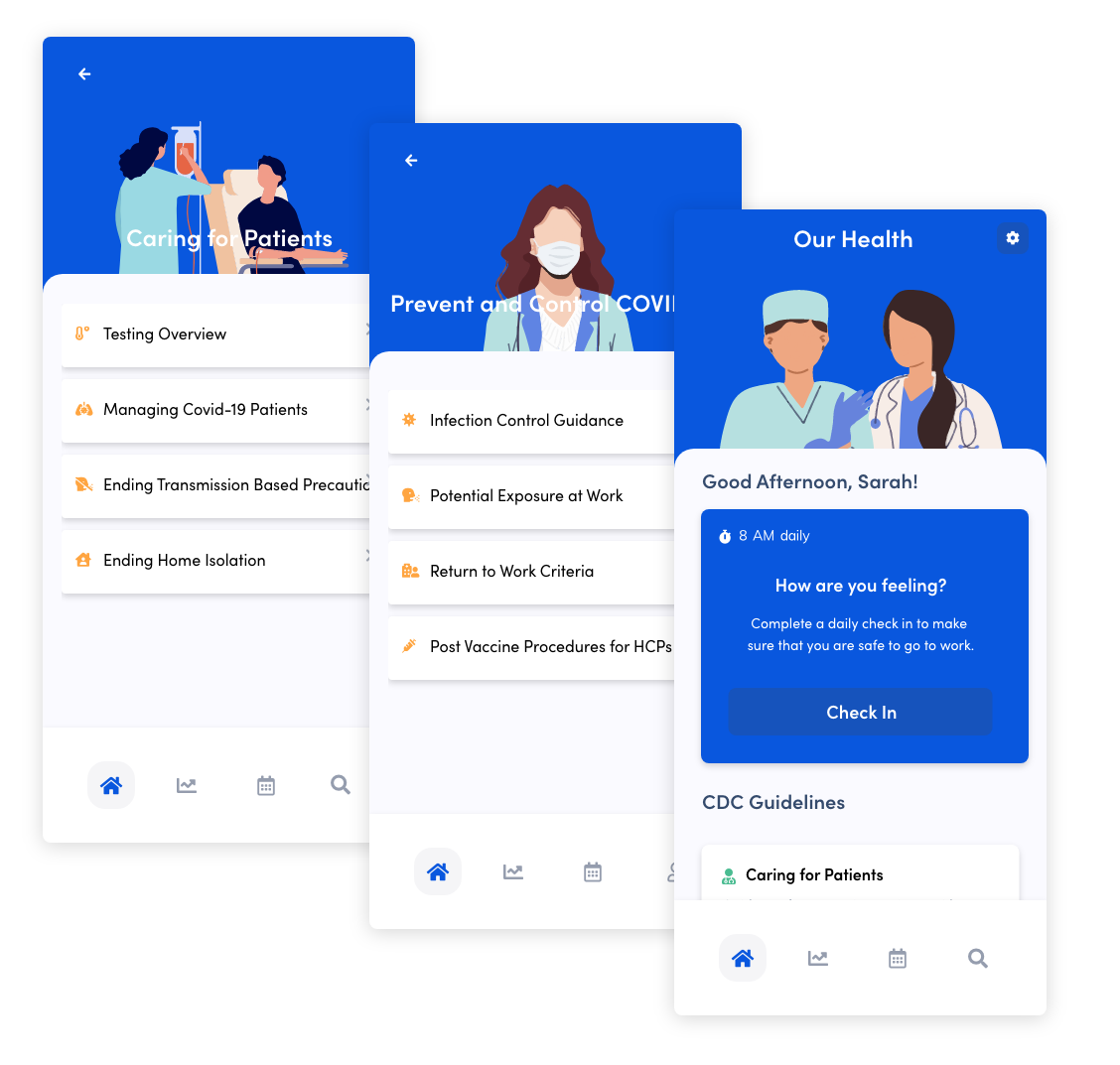
Strategically placing images and icons to create hierarchy
User feedback: “It’s somewhat lackluster.”
I added unique illustrations at the top of each page, icons to differentiate each topic from one another
Changed the navigation to icons instead of text.
Updated overall look and feel
Final Design
After the initial design was tested, I used feedback from testing participants to create a final design. I used color intentionally to guide the users attention and create a modern, friendly interface that felt inviting, and trustworthy.
Finding Detailed Information
Finding information is easy. Users can navigate to recent CDC guidelines that are sorted by topics important to them, including Clinical Care Tips, Infection control Topics, and guidelines on how to control the spread of infections in a health care environment. They can also use the search option in the bottom navigation.
Taking the Assessment
When users select the ‘check in’ button on the home page, they are prompted with a series of questions. Once the questions are answered a success or warning page will appear. At any point a user can cancel the assessment and pick up later where they left off. A status bar at the top fo the page shows the user where they are in the assessment.
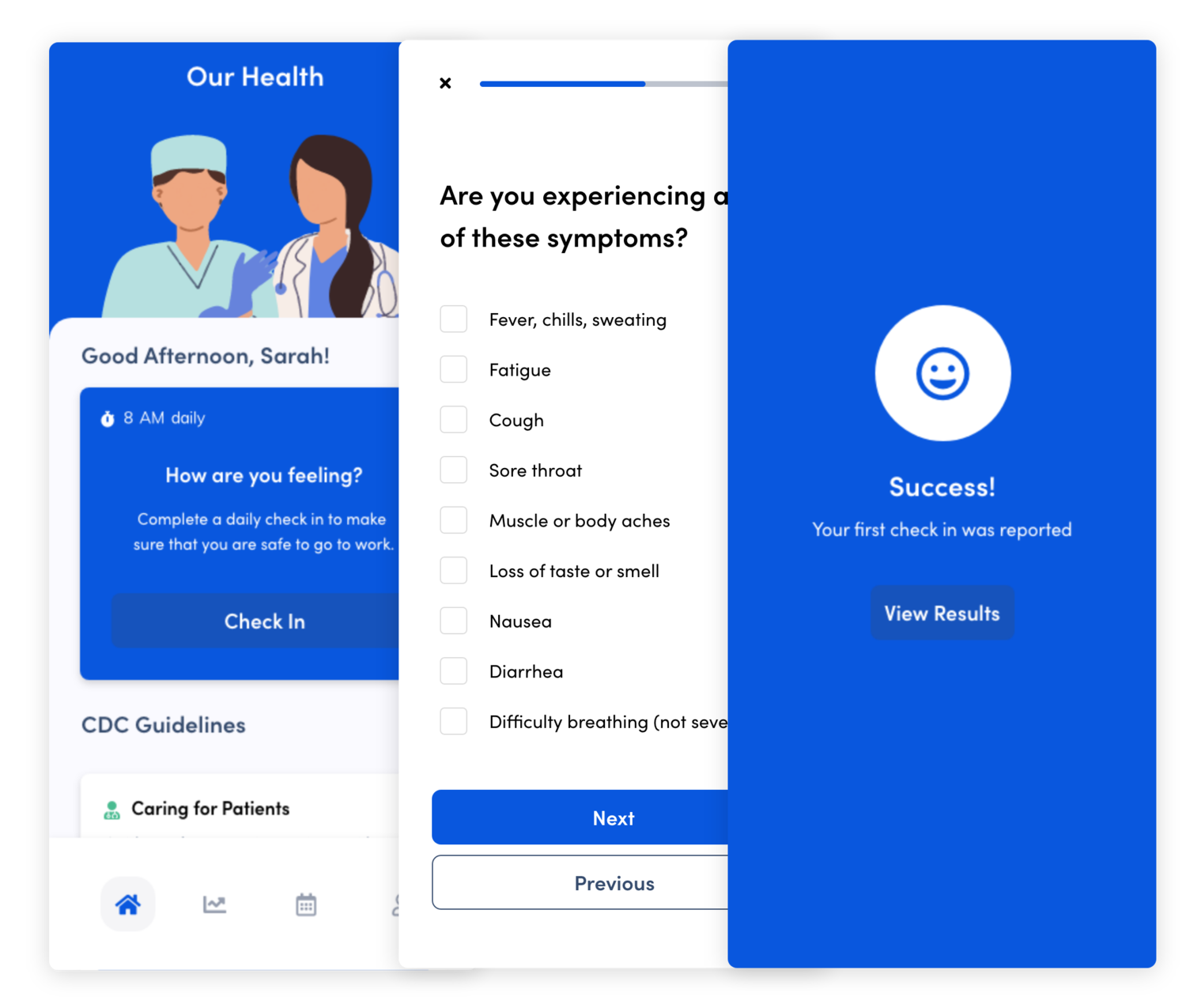
Assessment Results
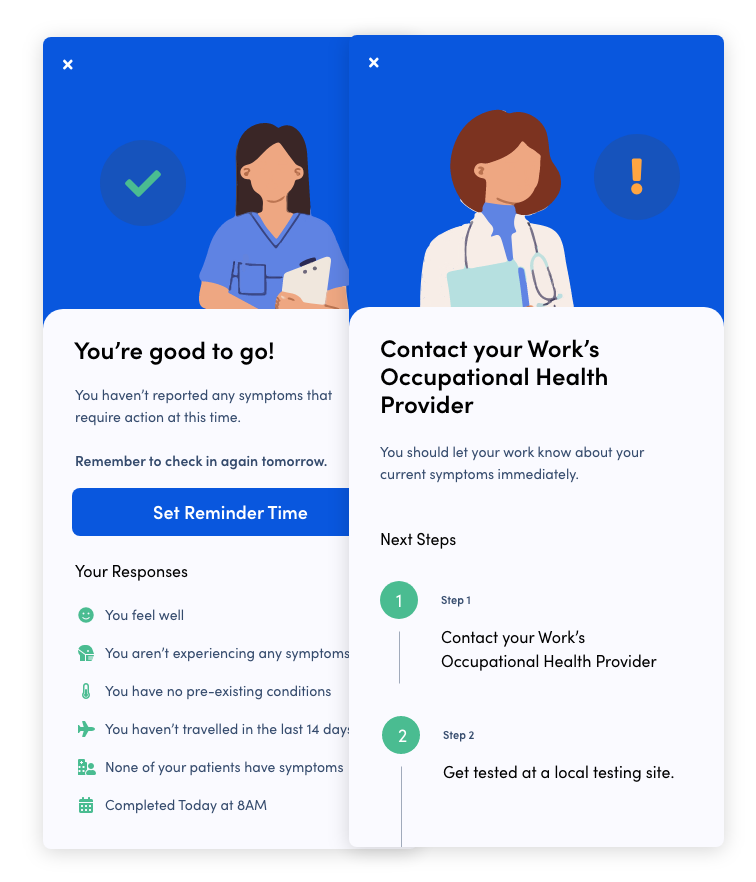
If a user hasn’t reported any symptoms, a success screen is displayed that notes their responses and allows the user to update their reminder time, or edit their responses.
In the scenario where a user has selected symptoms of importance, a warning screen is displayed and best practices about what steps to take are shown to the user.
Setting a Reminder
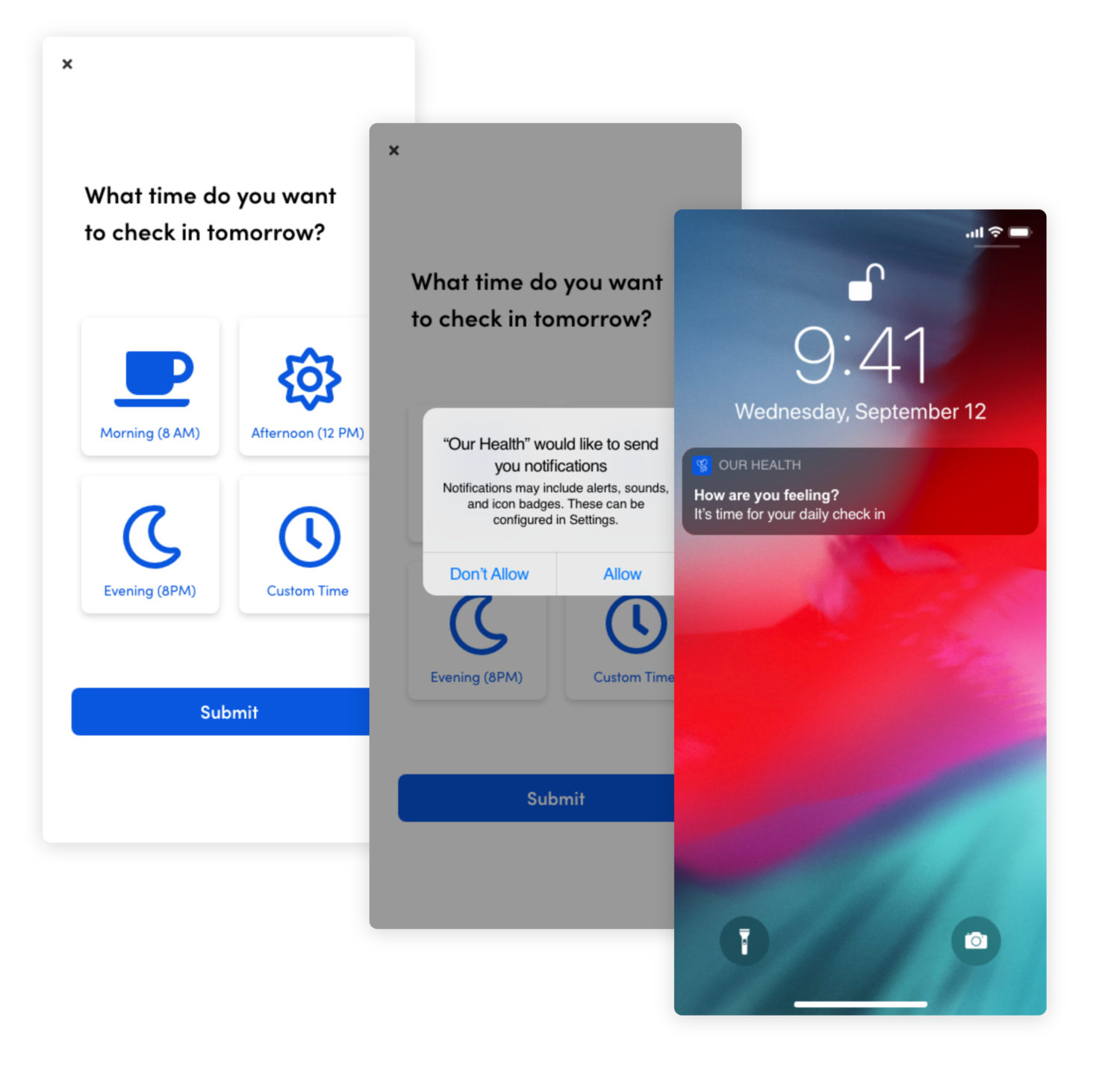
Users can choose a predetermined time, or custom time to be reminded to fill out the assessment. Once a time is selected, a permission popover is displayed.
Everyday at the selected time, OurHealth will send a notification to the user that will display on their lock screen to remind them to check in. Users can edit this reminder at any point in the settings.